Everything your battery needs, in one calm app
Monitor it, protect it, and keep an eye on every device you own. Here is everything bCare does.
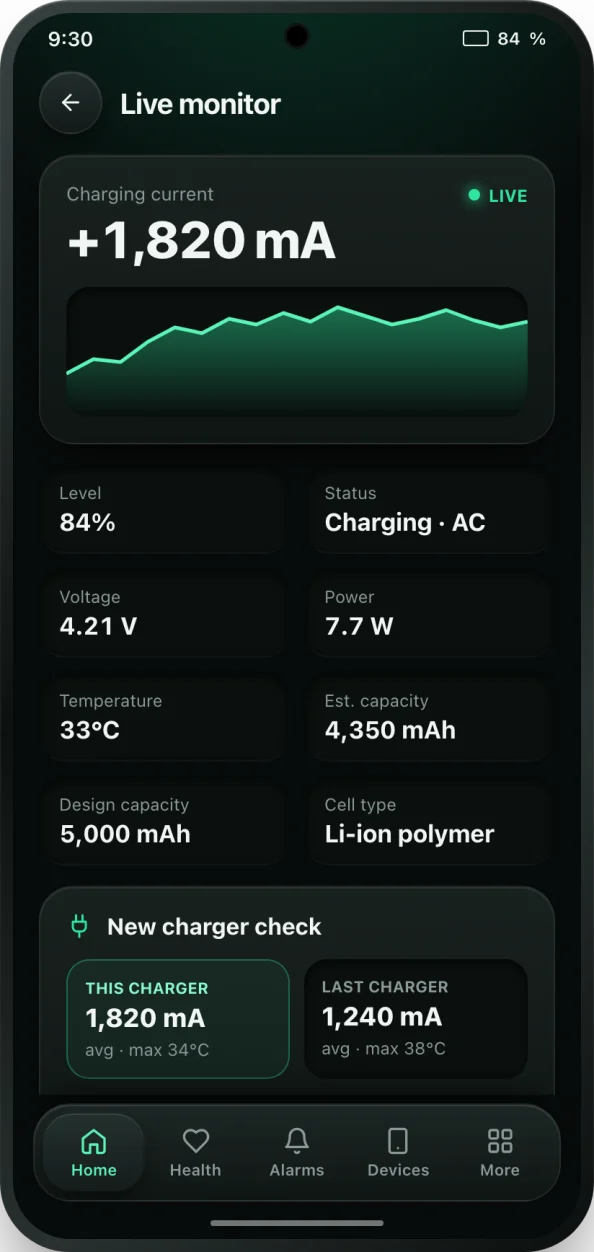
Know exactly what your battery is doing
Live readings the moment you open the app, with a plain-language fix for anything that is draining it.
Live monitor
Charge level, temperature, voltage and charging current, updated live.
New charger detection
Spots a new charger or cable and shows how fast it really charges.
What’s draining now
Brightness, screen timeout and other settings, with a one-tap fix for each.
How-to-fix guides
Tap any issue on Home for short steps that fix it.
Apps draining battery
See which apps use the most power and stop the worst ones.
Charging history
Every session with its range, duration, peak temperature and charger speed.
Device info
Model, battery capacity, technology and Android version in one place.
Monitoring status
Tells you straight away if monitoring stops, and how to turn it back on.
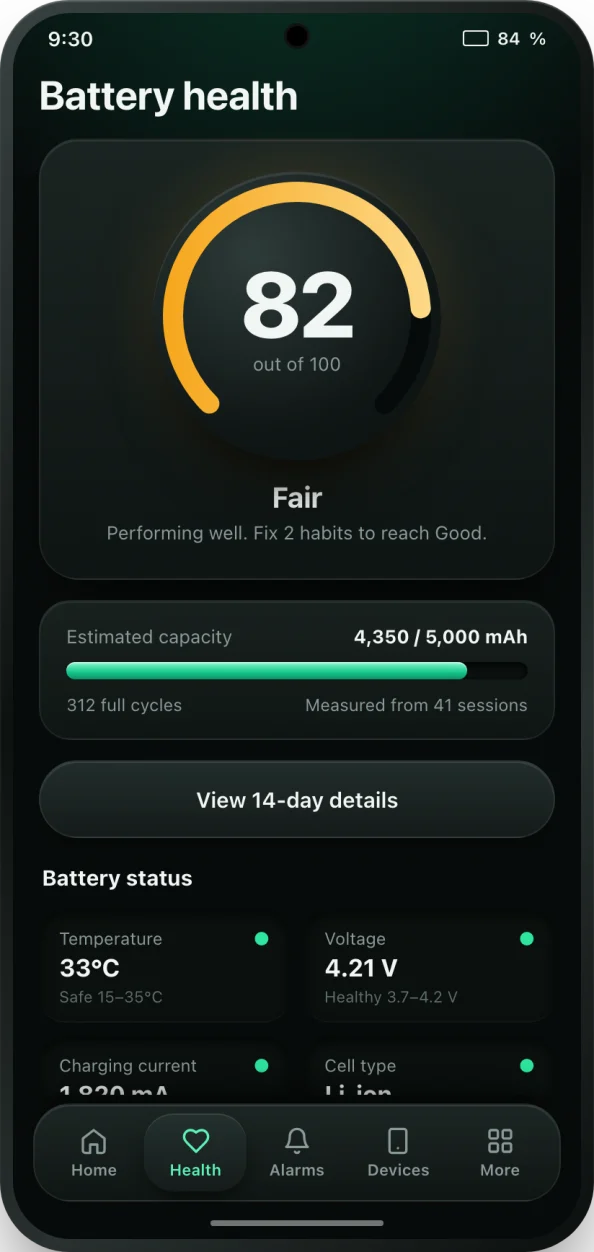
A real health score, not a good/bad icon
bCare measures your battery for 7 days, then shows what’s really left: measured capacity, charge cycles and the habits wearing it down.
Battery health score
One clear 0-100 score built from measured mAh and charge cycles.
Calibration progress
See how many days are left while bCare learns your battery.
14-day trend
Capacity, cycles and wear over the last two weeks, day by day.
Why it matters
Plain-language explainers for every number on the screen.
Health report export
Save your battery health report as a PDF to keep or share.
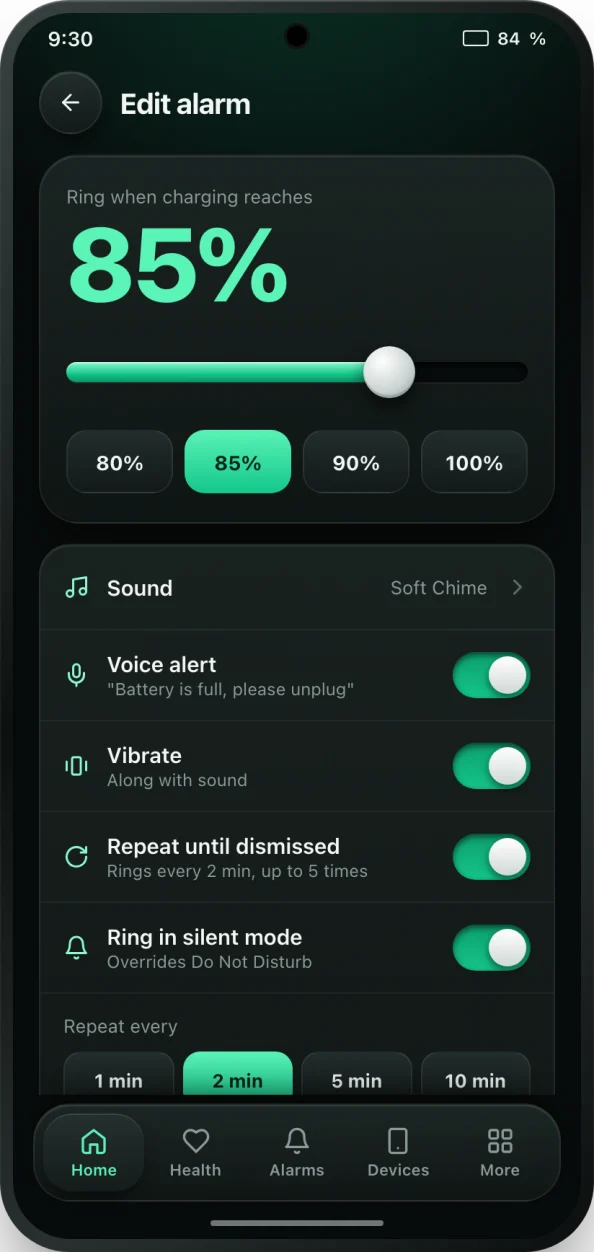
Alarms that ring when they should
Set the charge you want, pick how it sounds, and let bCare handle the rest, even on phones that like to stop background apps.
Full-charge alarm
Rings at 85% or any level you pick, so you can unplug in time.
Low-battery alarm
A heads-up before you hit empty, at the level you choose.
Temperature alarm
Rings when your phone runs hotter than the limit you set.
Alarm-ready check
Notifications, battery optimisation, autostart and a test alarm, in four steps.
Ringtones or your own music
Pick a built-in sound or add your own file, and set the volume.
Voice announcements
bCare says the charge level out loud when the alarm rings.
Vibration and silent mode
Vibrate with the sound, and ring even when the phone is on silent.
Repeat and snooze
Choose how often it repeats and snooze it for a few minutes.
Full-screen alarm
A clear full-screen alarm with a big, easy stop button.
Safe editing
bCare reminds you to save before you leave an alarm you changed.
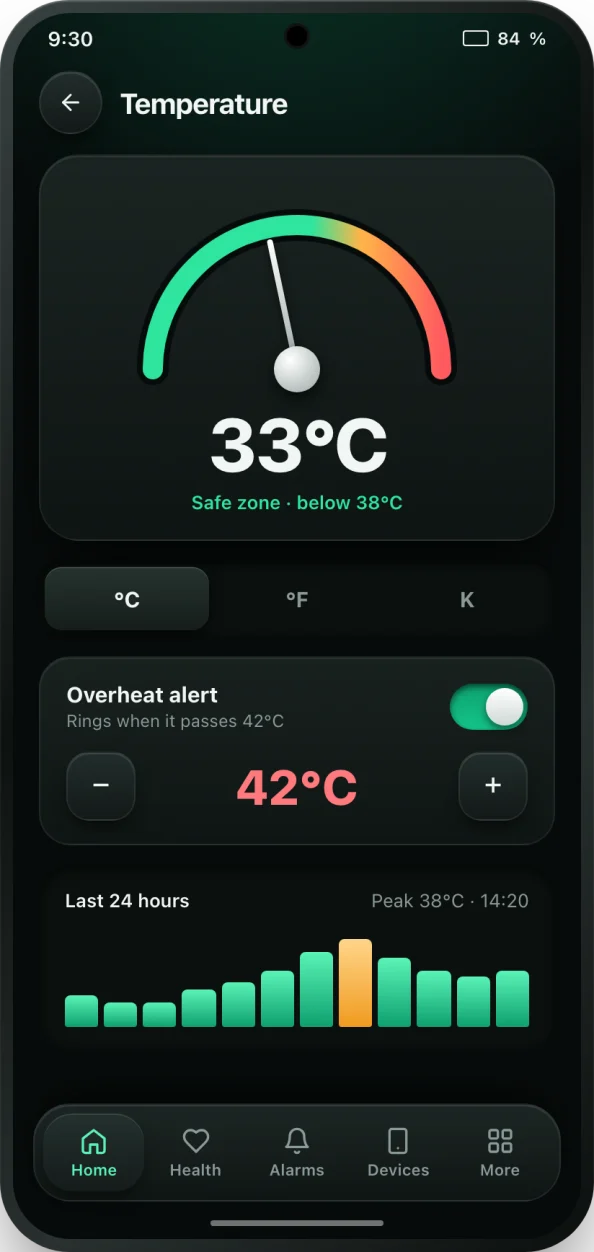
Beat the heat and build better habits
Heat is the biggest cause of battery wear. bCare watches it live and gives you short, practical steps to keep your battery young.
Live temperature
Your battery temperature in real time, with the safe range marked.
Running-warm alerts
A calm notification the moment your phone gets too warm.
Cool-down steps
Exactly what to do next: unplug, remove the case, close heavy apps.
°C, °F or K
Show temperatures in the unit you prefer.
Do this next
Home suggests the next best action for your battery, one at a time.
Battery tips
Short, myth-free guides with step-by-step fixes.
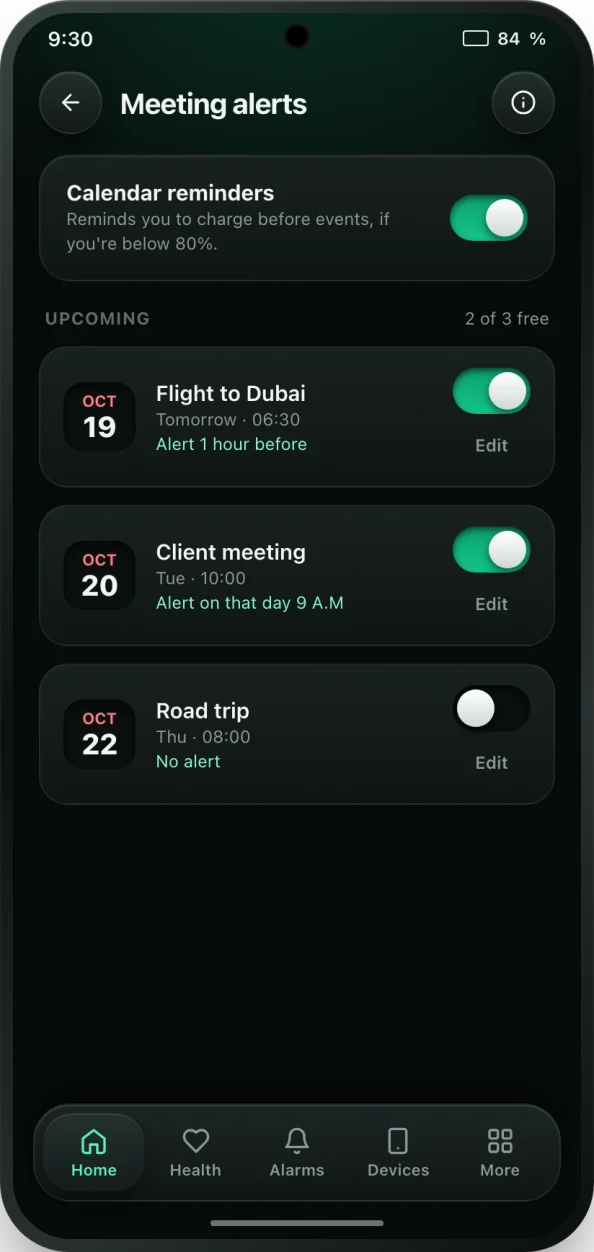
Never walk into a meeting on 10%
bCare reads the events you choose from your calendar and reminds you to charge before they start.
Calendar meeting alerts
Pick the events that matter and get a charge reminder before each one.
Charge-before-event alert
Shows your current charge and how long you have before the event.
Your timing
Choose how long before the event you want the reminder.
Per-event control
Turn alerts on or off for each meeting, trip or call.
Charging guidelines
Quick advice on how much charge each kind of event needs.
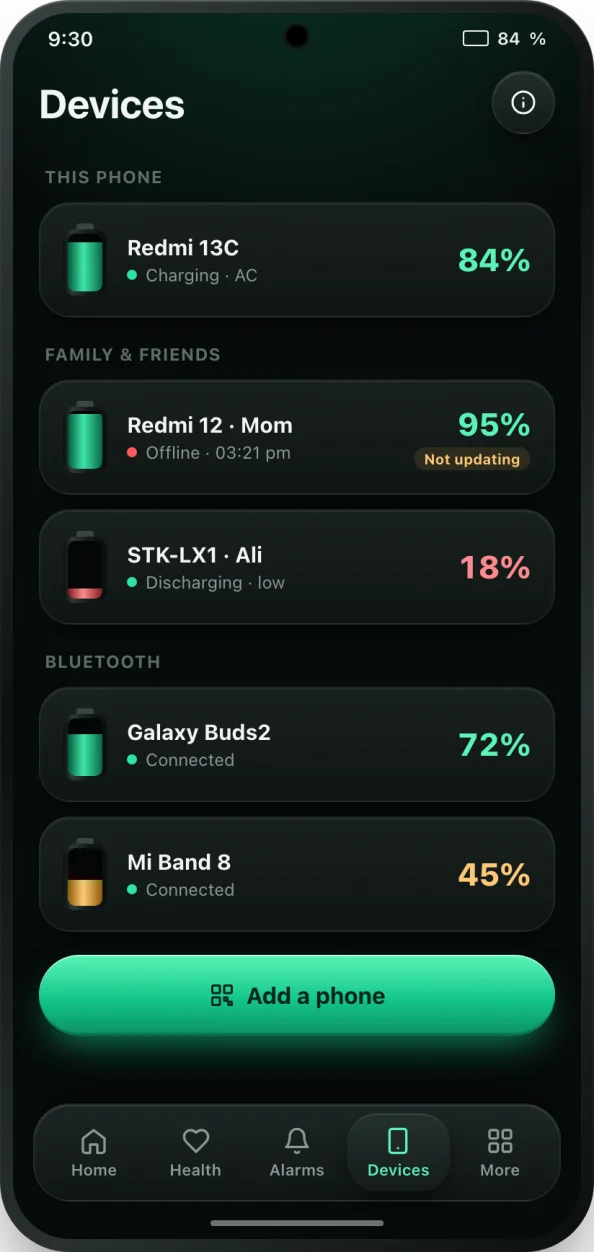
Every battery you care about, one screen
Link family phones, earbuds and watches, and see who is running low before they do.
Add a phone by QR
Scan once and that phone’s battery shows up on yours.
Smart QR checks
Catches invalid, duplicate or your-own-phone codes, and helps out if the camera is unavailable.
Google sign-in for sync
Sign in once to keep linked devices in sync. Sign out any time.
Bluetooth devices
Earbuds, watches and speakers with their battery level. bCare tells you if Bluetooth is off.
Device details
Charge, temperature and last seen for each linked device.
Online status
See at a glance which devices are connected right now.
Low and offline alerts
Know when a linked device runs low or stops updating.
Remove a device
Unlink any device in two taps.
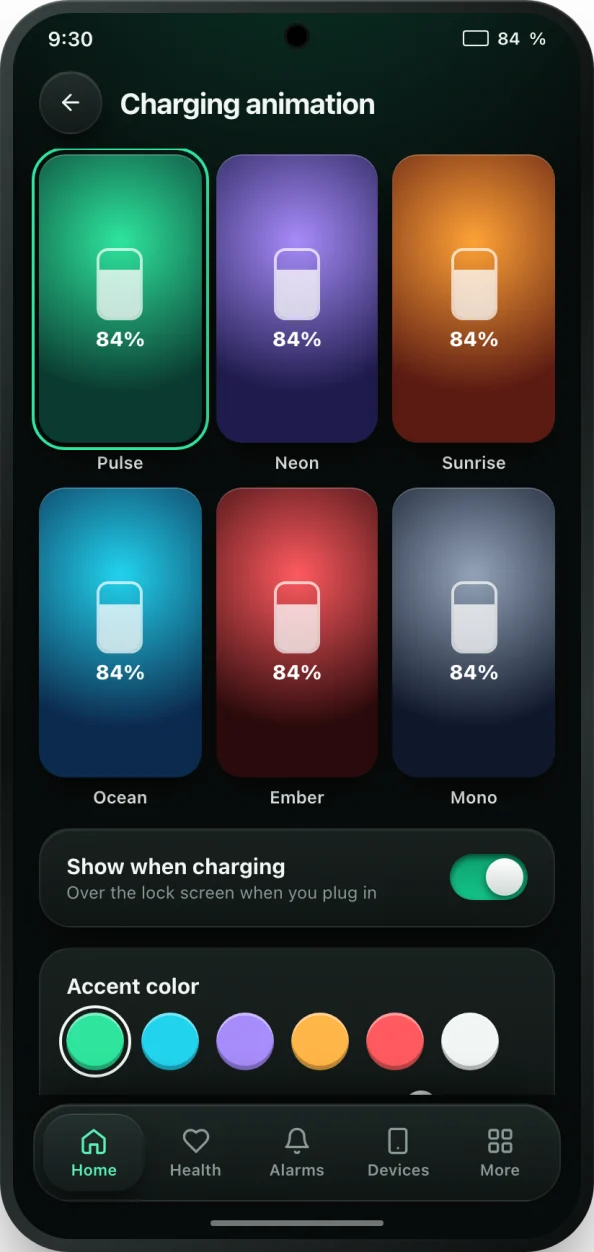
Make it yours
Charging animations, your own language and settings that stay out of your way.
Charging animations
A full-screen animation every time you plug in. Pick from several styles and colours.
Lock-screen animation
The charging animation also plays on your lock screen.
One-tap on or off
Turn the animation off whenever you like.
15 languages
Choose your language on the first screen and change it any time.
Just-in-time permissions
We only ask for access when a feature needs it, and you can review every permission in one place.
Guided tour
A short tour of Home, Health and Devices on your first visit.
What’s new
See what changed after every update.
In-app updates
Update to the latest version without leaving the app.
Suggest a feature
Send ideas straight from the app. Many features started there.
Share bCare
Send bCare to friends and family in a tap.
Your battery, without opening bCare
Widgets, a live notification and device alerts keep the numbers one glance away.
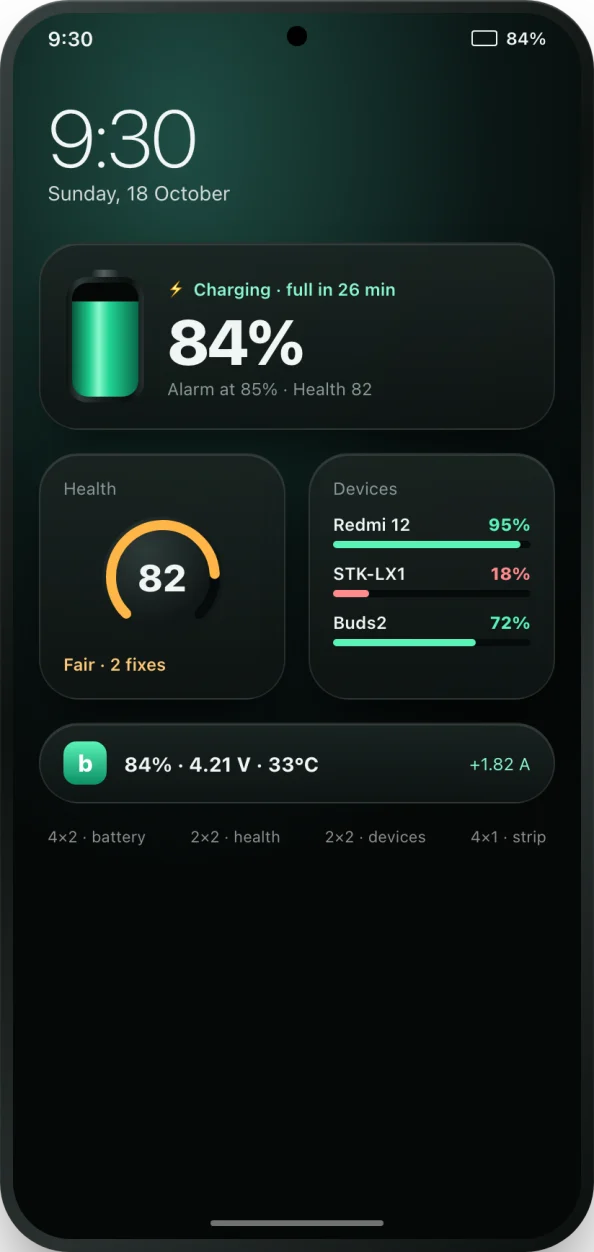
Home-screen widgets
Four widgets for charge, health, temperature and devices.
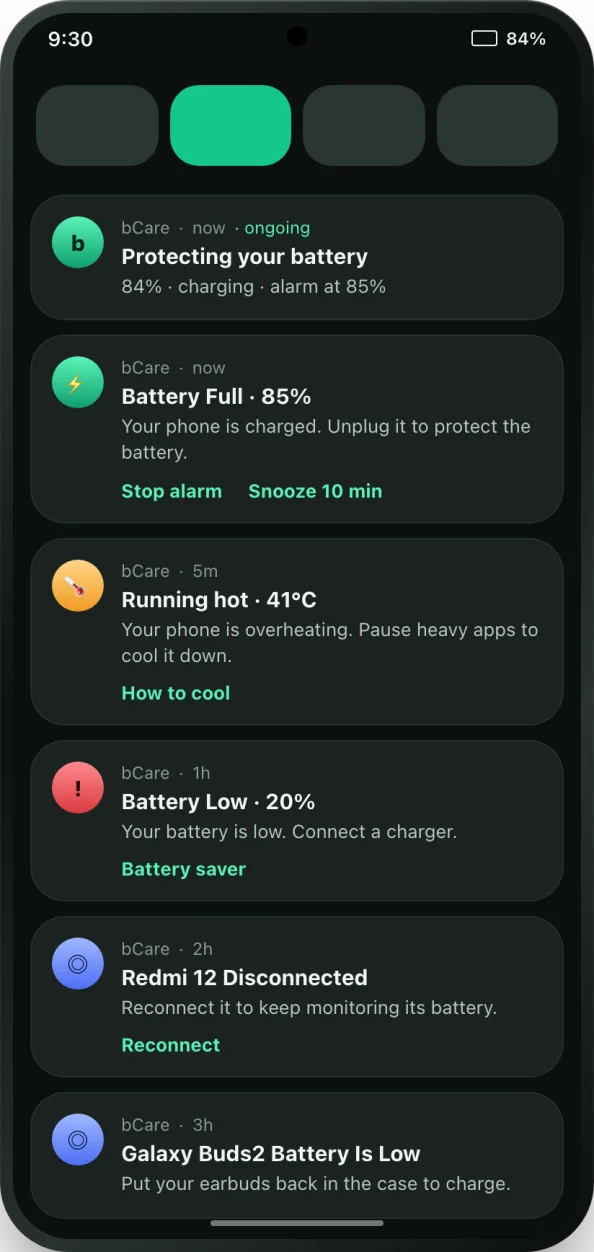
Live notification
Charge level, time to full and alarm controls in your notification shade.
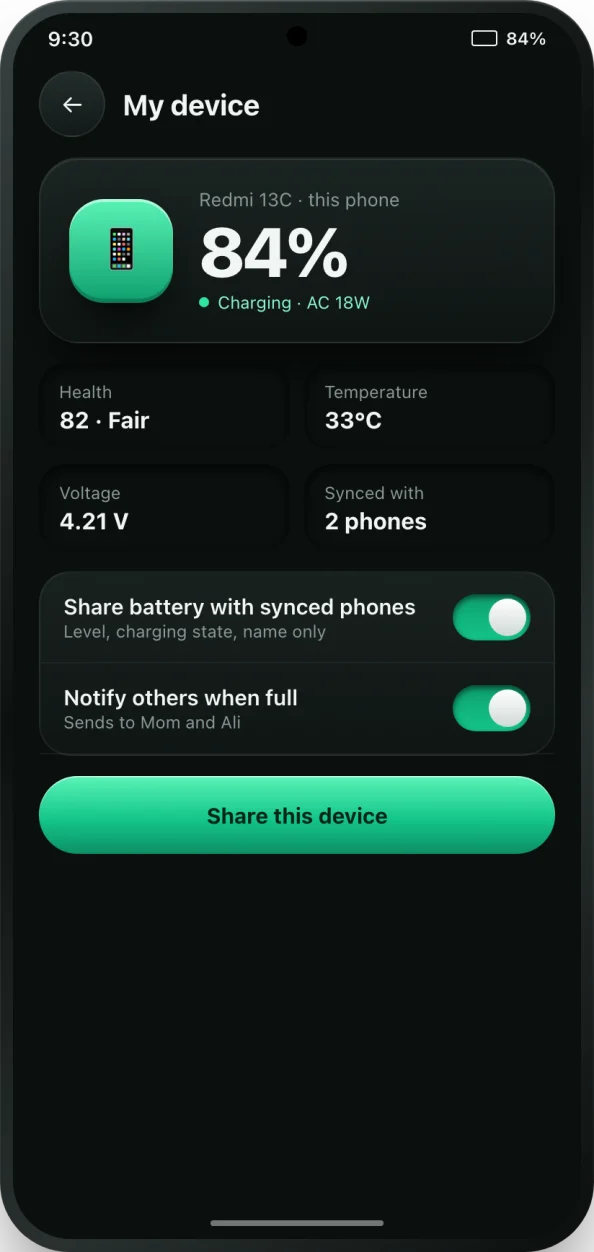
Device notifications
A linked phone’s charge and status, right in your notifications.
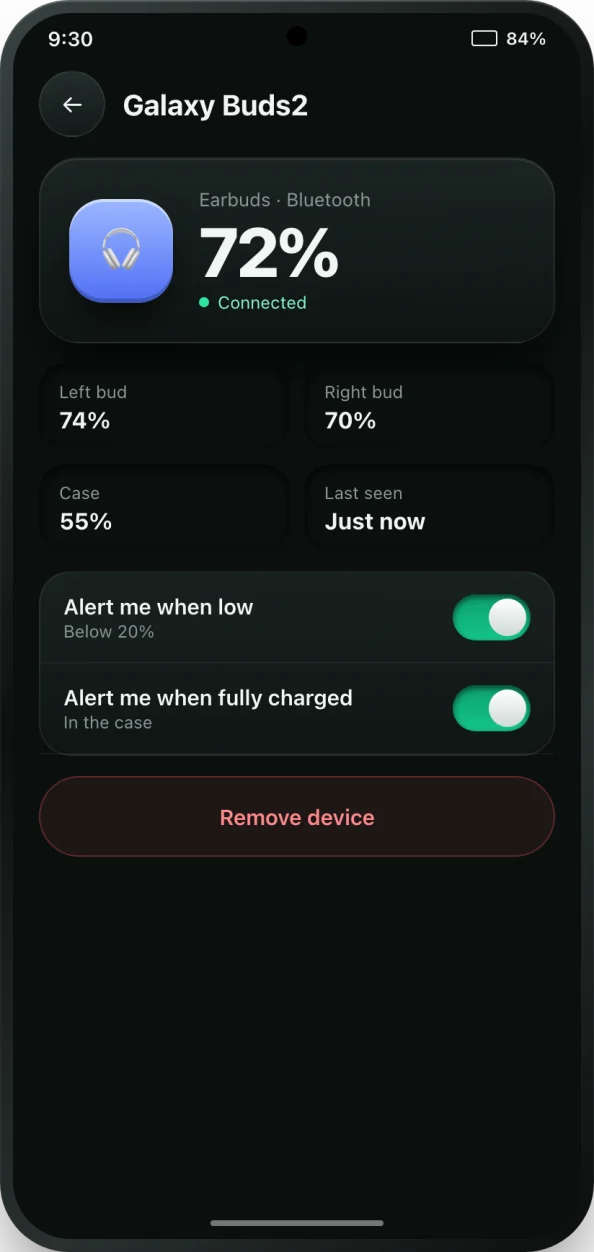
Bluetooth device alerts
Earbud and watch battery levels the moment they connect.
All 56 features
Monitor
- Live monitor
- New charger detection
- What’s draining now
- How-to-fix guides
- Apps draining battery
- Charging history
- Device info
- Monitoring status
Health score
- Battery health score
- Calibration progress
- 14-day trend
- Why it matters
- Health report export
Alarms
- Full-charge alarm
- Low-battery alarm
- Temperature alarm
- Alarm-ready check
- Ringtones or your own music
- Voice announcements
- Vibration and silent mode
- Repeat and snooze
- Full-screen alarm
- Safe editing
Heat & tips
- Live temperature
- Running-warm alerts
- Cool-down steps
- °C, °F or K
- Do this next
- Battery tips
Meeting alerts
- Calendar meeting alerts
- Charge-before-event alert
- Your timing
- Per-event control
- Charging guidelines
Devices
- Add a phone by QR
- Smart QR checks
- Google sign-in for sync
- Bluetooth devices
- Device details
- Online status
- Low and offline alerts
- Remove a device
Personalise
- Charging animations
- Lock-screen animation
- One-tap on or off
- 15 languages
- Just-in-time permissions
- Guided tour
- What’s new
- In-app updates
- Suggest a feature
- Share bCare
Outside the app
- Home-screen widgets
- Live notification
- Device notifications
- Bluetooth device alerts
Your battery data stays on your phone
bCare reads your battery on the device. We don't sell your data, and we only ask for a permission when a feature needs it.
Try every feature on your own phone
Free to download. Your first reading takes a second.